Exit Lights Off (ESC)
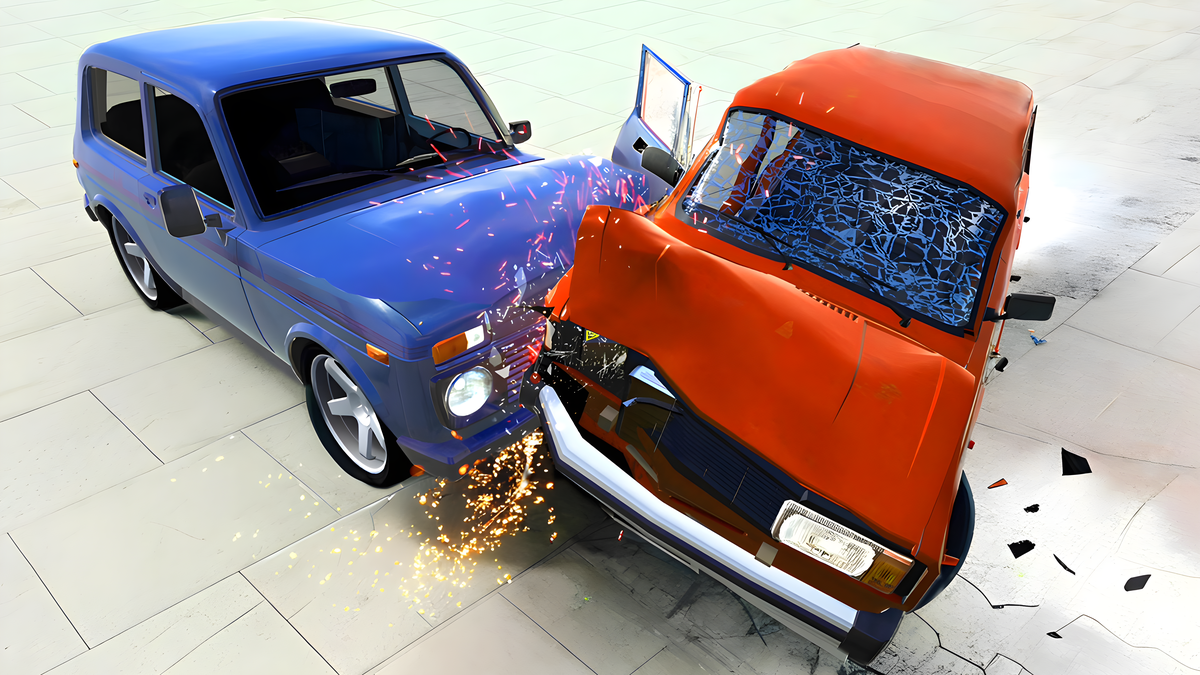
About Beam Drive Car Crash Test Simulator
Desktop: WASD — movement, right mouse button to click buttons, ZX — left and right turn signals. Mouse wheel — zoom in/out camera, left mouse button — rotate camera. Mobile: Tap the buttons. Left/right buttons, accelerate forward, reverse.
⚡ Technical & Performance Specifications:
- Graphics & Engine: Lightweight HTML5 Canvas / WebGL 2.0 (Native 60 FPS)
- Platform Compatibility: School Chromebook, Windows PC, Mac, iPad, iPhone, Android
- Default Controls: Keyboard (WASD / Arrow Keys + Space) on Desktop, Touch screen gestures on Mobile
- Installation Footprint: 0 MB (Instant sandbox browser execution)
Controls & Platform Support
Play Beam Drive Car Crash Test Simulator instantly in your browser with zero downloads. Fully compatible with PC, Mac, tablets, and mobile devices using keyboard, mouse, or touch controls.
Beam Drive Car Crash Test Simulator - Gameplay Video & Walkthrough
Similar Games You'll Love
★
9.4
Hedgies
★
8.9
Build an Aquapark
★
9.3
Gym Simulator Online, Escape
★
8.7
Animal Evolution Simulator
★
9.5
Millionaire Life
★
9.0
Break Stick Completely
★
9.6
Cat Life Simulator: Devil Cat
★
8.5
Pregnant Mom Simulator Family Life
★
8.6
Sprunki Action Playground: Ragdoll Sandbox
★
8.7
Solar Smash
★
9.2
Coloring by Numbers. Pixel Room
★
9.6
Flufflings: Pocket Pets